
SwiftCopy vs Paste: which clipboard manager fits your Mac?
SwiftCopy is built for a local clipboard workflow on your Mac. Paste connects clipboard history across Mac, iPhone and iPad. The useful choice is whether you want a focused Mac panel or a clipboard that follows you between devices.
The differences that matter
| Your decision | SwiftCopy | Paste |
|---|---|---|
| Devices | Mac, macOS 15.2 or later | Mac, iPhone and iPad |
| History storage | Local on your Mac; no account or cloud sync | On-device storage and private iCloud sync |
| Finding copies | Search, pinned items, previews and content filters | Search, pinboards and unlimited history |
| Purchase | US $9.99 once, including future versions | Subscription or lifetime purchase; see current plans |
| Trial | 30 days from first launch | 7 days |
Choose SwiftCopy for a dedicated Mac panel
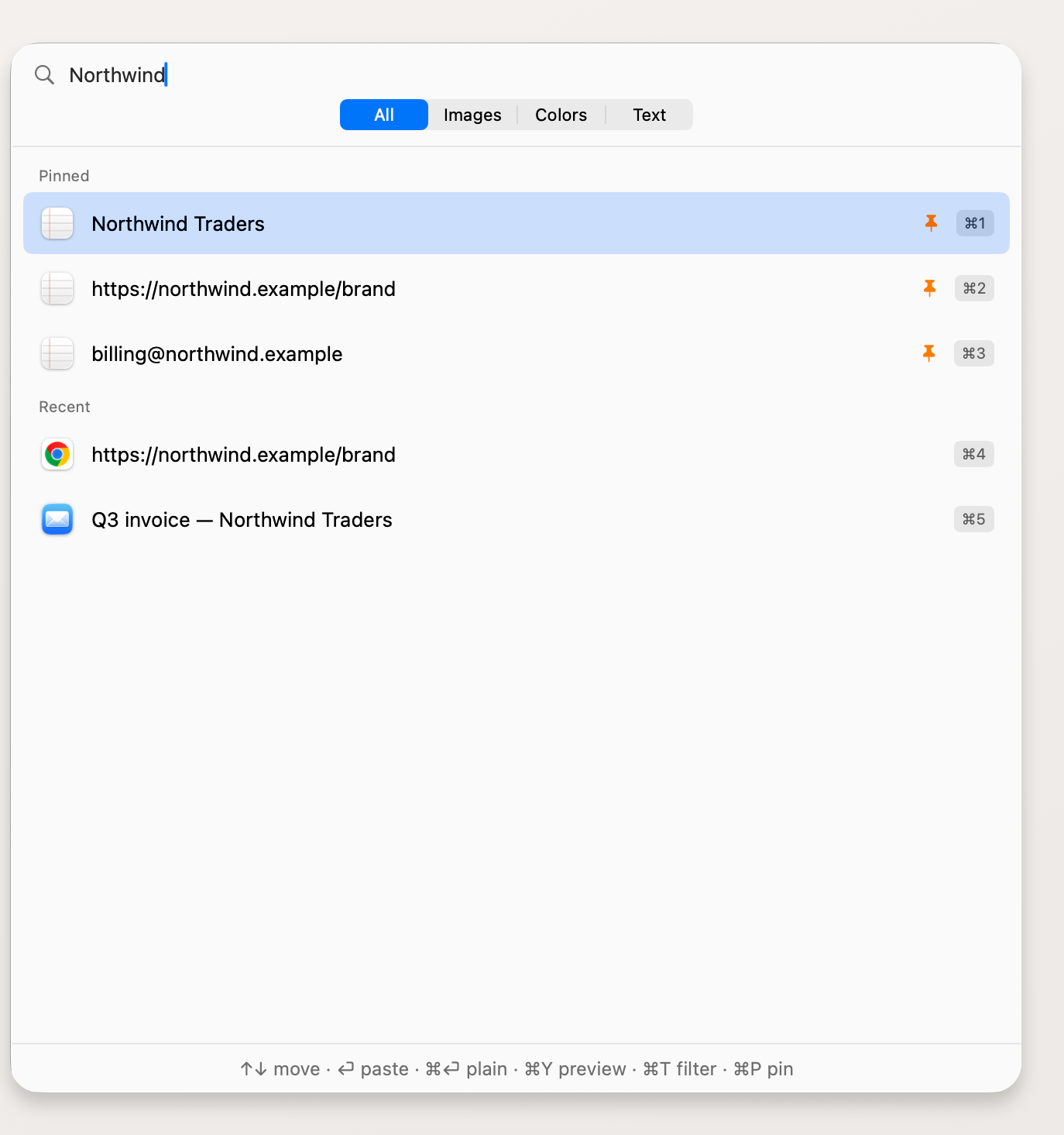
Press ⌘⇧C to open SwiftCopy over the app you’re using. Type to search, preview an item with ⌘Y, or use ⌘1 through ⌘9 to pick a visible item. Pin the snippets you reuse so they stay above the recent copies.
You can use it without an account or sync setup. Auto-paste is optional; enable it and grant Accessibility permission to paste straight into the app behind the panel.
Choose Paste for a clipboard across Apple devices
If you want to find the same saved copies on your Mac, iPhone and iPad, Paste’s device sync is a reason to choose it. Paste also offers shared pinboards for teams and connections that let supported AI tools use clipboard history you choose to share.
Just need occasional clipboard history?
Try Spotlight’s built-in history first. Our Mac clipboard history guide walks through that option and SwiftCopy’s panel. For SwiftCopy’s trial and license details, see pricing.